RAMS Digital
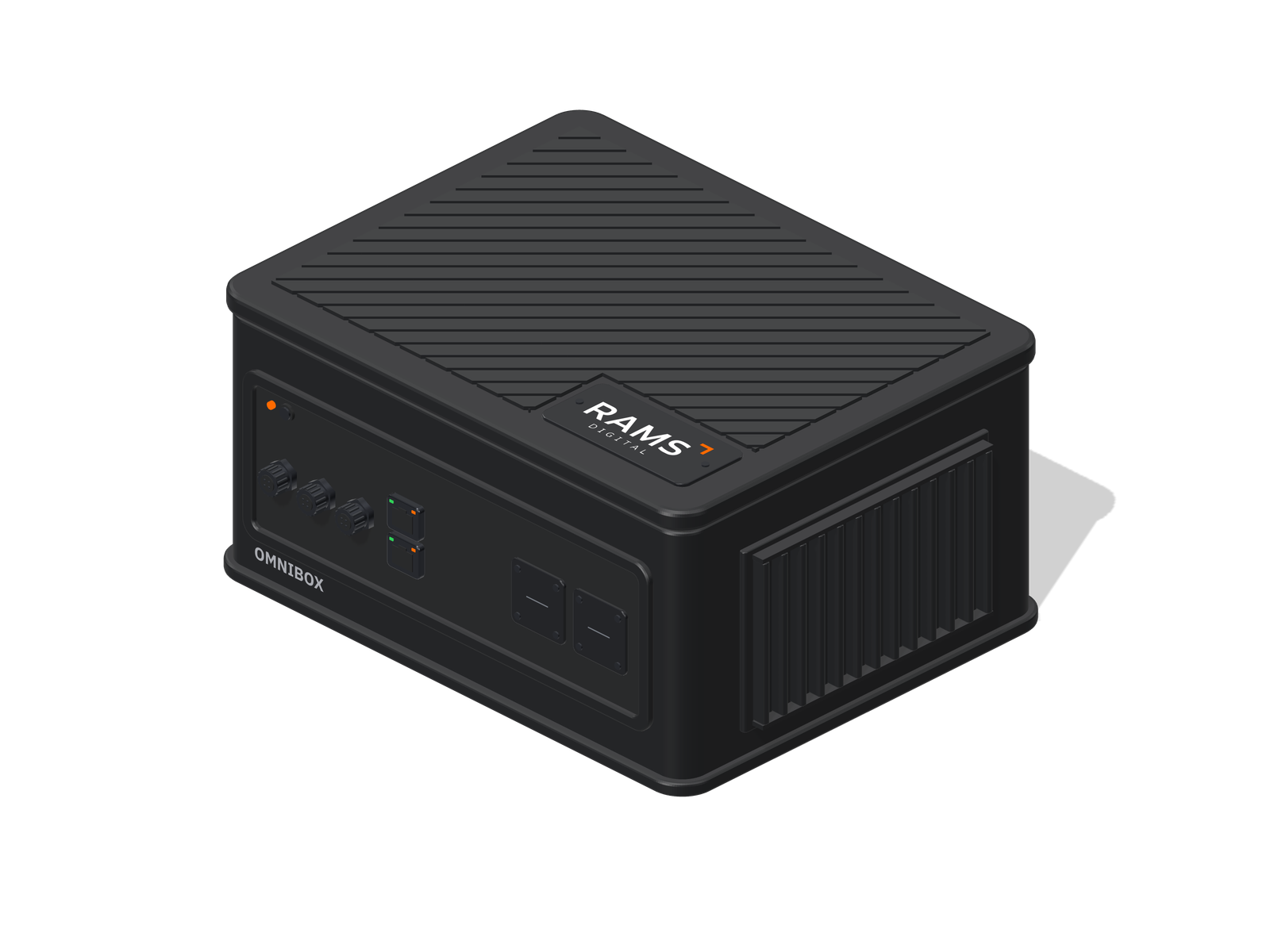
OmniBox
The on-site brain that turns what cameras and sensors notice into action.
Four boxes.
One job.
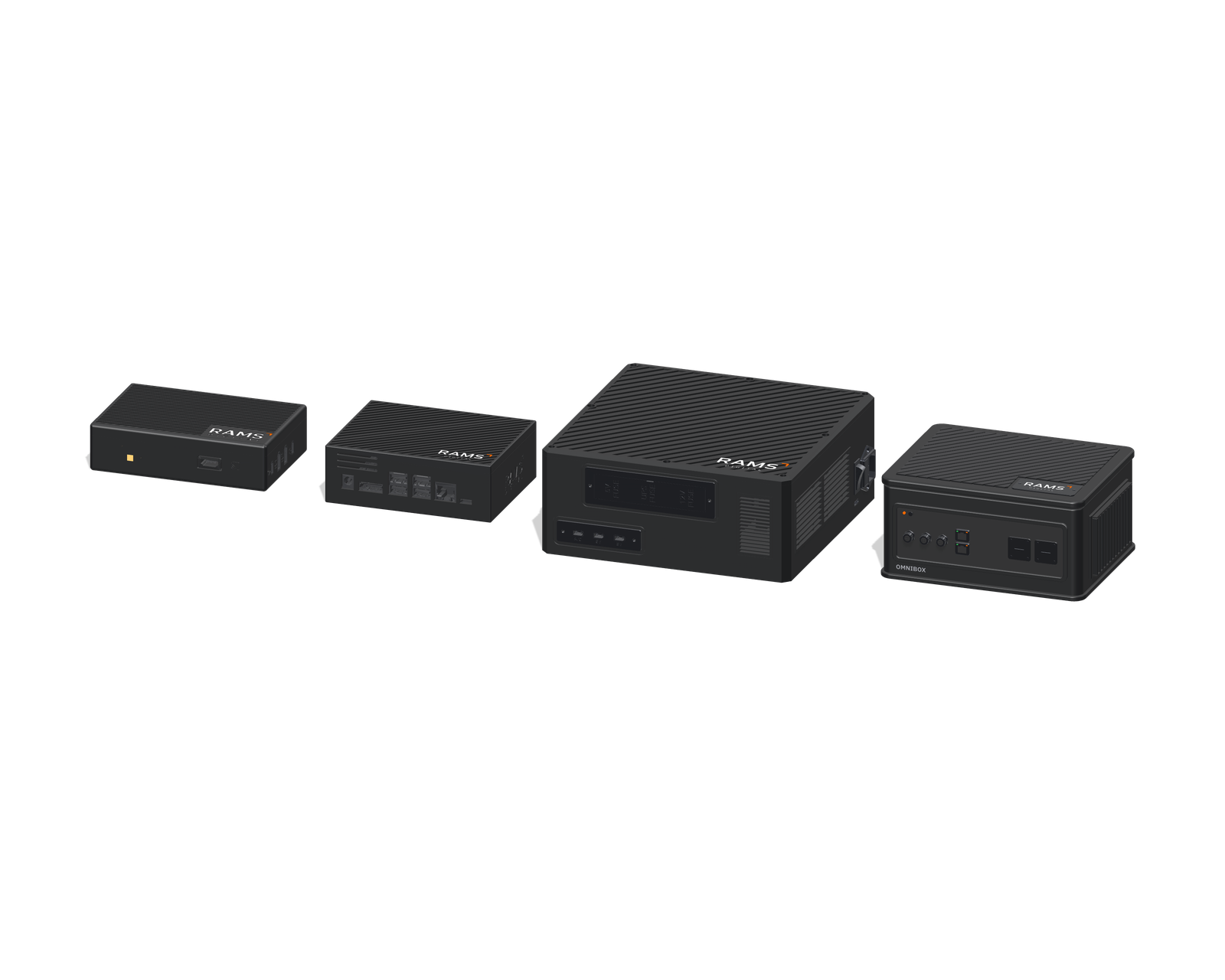
Edge, AI, Motion and Core. Different brains, different connections — the same job of turning what the floor notices into something that happens.
The same idea,
sized to the job.
A brain, the connections it needs, and the power to run them — in an enclosure built for where it has to live.
See it. Decide. Act.
RAMS Digital
OmniBox
The on-site brain that turns what cameras and sensors notice into action.
Edge compute Local decision logic Machine & sensor integration
Physical operations move faster than cloud-only systems.
Sensors produce signals. Cameras produce detections. Machines produce logs. Without intelligence on site that knows where and when it all happened, the operation still gets scattered data instead of a decision it can use.
Latency at the moment that matters
When someone steps in front of a moving truck or into a robot cell, there’s no time to ask a server far away and wait for the answer.
OmniBox decides on the spot.
Signals without context
An impact alert on its own is just a number. Knowing which truck, which zone, which driver and what happened before makes it something you can act on.
Every event arrives with the where, the who and the history.
Networks are not always dependable
Wi-Fi drops at the far end of the aisle and out in the yard. Safety can’t drop with it.
Keeps deciding offline, and catches up when the network is back.
Different devices, separate systems
Cameras, sensors, machines and trucks often come from different suppliers, each with its own screen and its own data.
One box connects them. One RAMS platform brings them together.
The closer intelligence gets to the event, the faster data becomes action.
From noticing to acting
The decision is made beside the machine, not in a data centre.
Needed to decide
It keeps working when the network doesn’t.
Every shift
Including the ones nobody is supervising.
Indicative. Response depends on the model and the installation; validated figures on request.
Sense. Decide.
Act. Sync.
A camera can detect. A sensor can measure. A machine can raise a fault. None of those is a decision — the value shows up when they are read together and something useful happens next.
- 01
Sense
Take in events and measurements from cameras, LiDAR, access control, impact and pallet sensors, machine I/O and the rest of what is already on the floor.
- 02
Decide
Apply the logic, model or threshold that says what this event means here — on this machine, in this zone, on this shift.
- 03
Act
Fire the configured output: a warning, a beacon, a machine signal, a reject, a notification or a whole workflow.
- 04
Sync
Send the event and its context to RAMS Digital for history, analysis and visibility across the business — once there is a network, and not before.
Four edge systems.
One physical intelligence layer.
Each OmniBox is matched to its job — the right brain, the right connections, the right enclosure. Every event that matters then flows into the same RAMS Digital Twin.
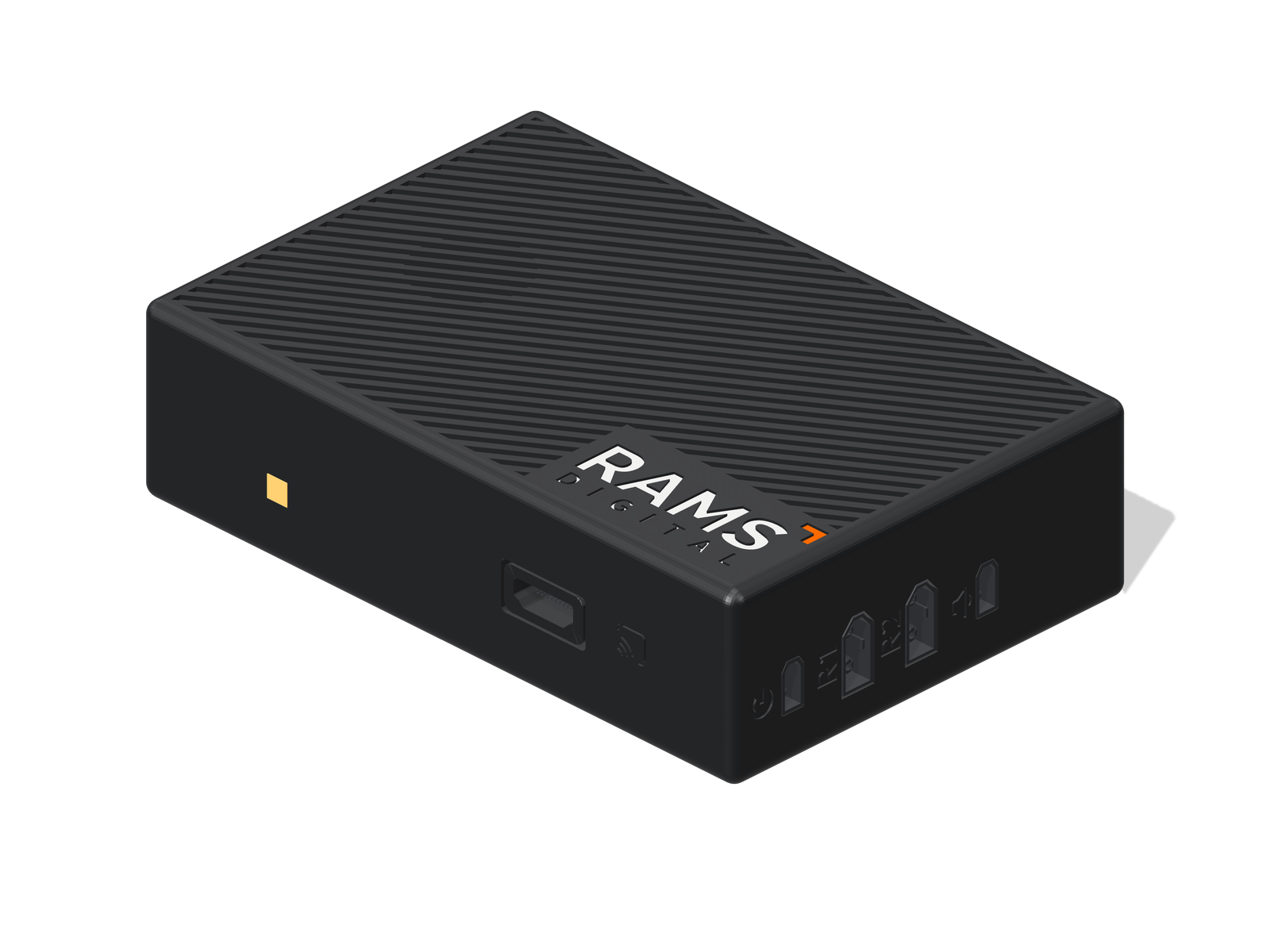
Edge · Raspberry Pi
OmniBox Edge
Process AI cameras.Compact compute that sits beside your RAMS AI Cameras.
Best forSafety with the RAMS AI Camera
- Stops a robot or sounds an alarm in about a fifth of a second
- No internet needed — set up from a phone at the machine
- Remembers its settings and events through a power cut
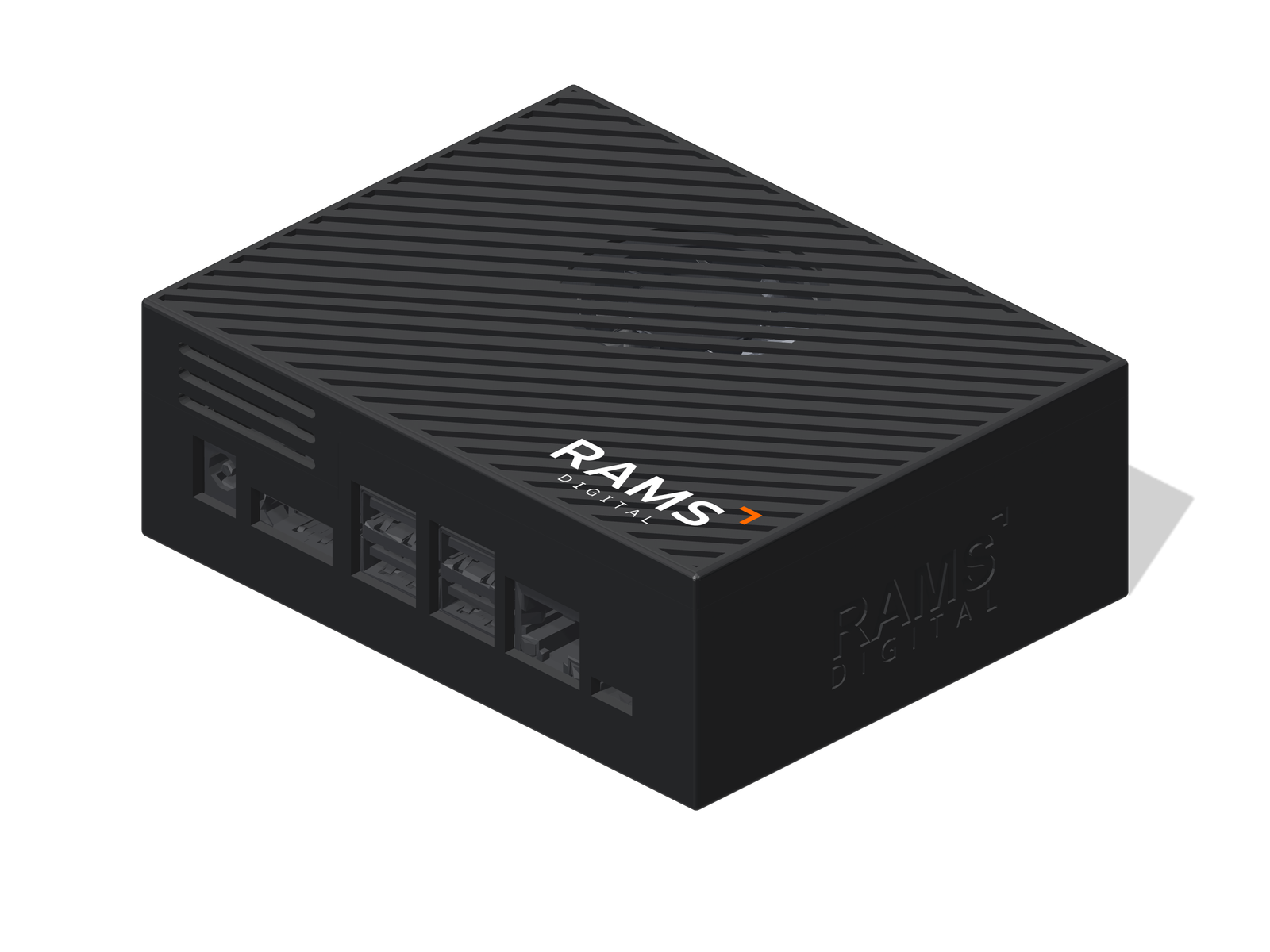
AI · 67 TOPS
OmniBox AI
Run custom models.Dedicated NVIDIA Jetson AI power for your own checks.
Best forInspection, counting and quality
- Runs AI models trained for your line and your parts
- 67 TOPS of AI power on board, from NVIDIA
- Acts on the result — stop, reject, alert, record
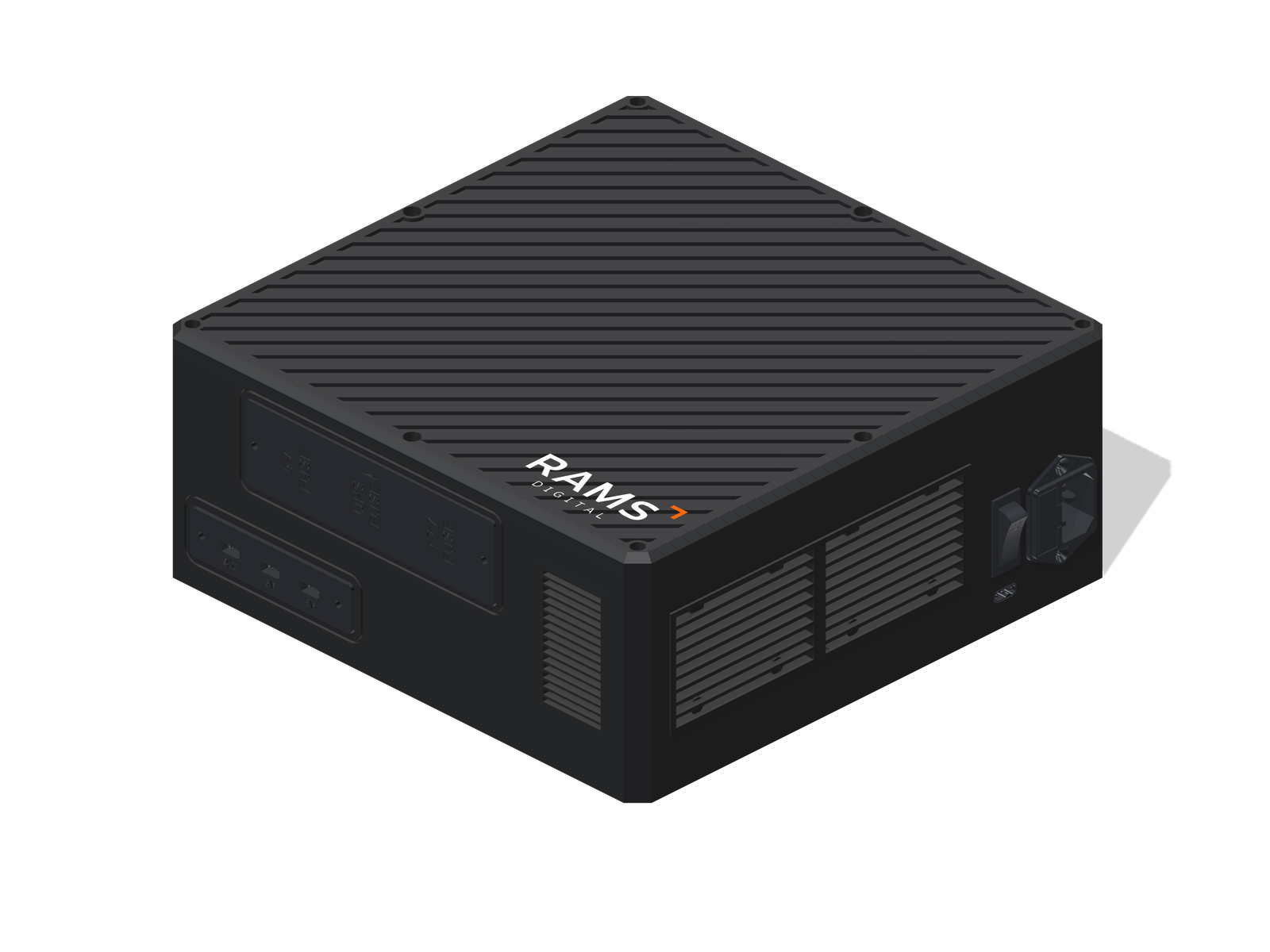
Motion · RAMS 2.0
OmniBox Motion
Connect the MHE.The complete intelligence box for a forklift.
Best forForklift fleets, with RAMS 2.0
- Powers every camera and sensor on the truck
- Sees people, feels impacts, knows the load
- Built-in backup power and cooling
Core · Custom
OmniBox Core
Engineer the use case.Purpose-built hardware for a job no standard box fits.
Best forJobs no standard box fits
- Designed around your process and your site
- We choose the brain, connections and power
- Built, tested and installed by RAMS Digital
Take one apart.
Pick a box to see what it connects to on the job, and what it’s made of. Drag to turn it around.
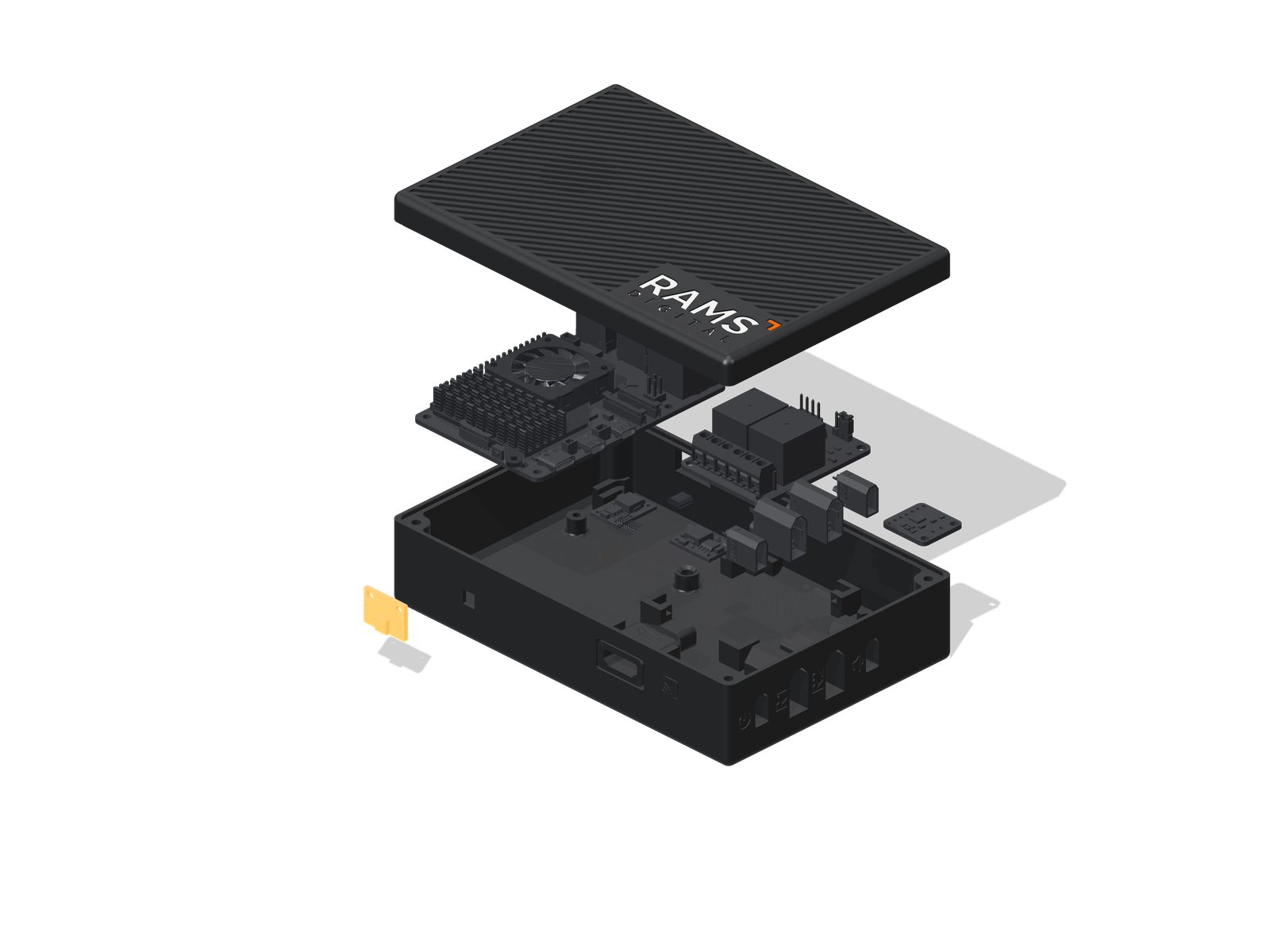
OmniBox Edge
Two RAMS AI Cameras in. Two outputs out — one stops the robot, one sounds the alarm. Set up from a phone.
Build your setup.
Three quick questions. Watch your setup come together as you pick, then send it to us.
Your OmniBox appears here.
Tell us where it will work to get started.
Side by side.
| Feature | | | | |
|---|---|---|---|---|
| Best for | Safety on robot cells, doors and zones | Inspection, counting and quality | Forklift fleets | Anything else |
| Where it goes | In the cell, near the cameras | Beside the line or station | On the forklift | Wherever the job is |
| The brain | Raspberry Pi 5 | NVIDIA Jetson Orin Nano Super | NVIDIA Jetson Orin Nano Super | Chosen for the job |
| AI power | AI runs on the RAMS AI Cameras | 67 TOPS on board | 67 TOPS on board | As much as needed |
| Works with | RAMS AI Cameras | Cameras on your line | Cameras, LiDAR, impact, RFID and weight sensors, displays | What your job needs |
| How it acts | Stops or holds a machine, sounds an alarm | Signals machines, alarms and people | Warns the driver, feeds the displays, records events | Designed with you |
| Works without internet | ||||
| Built-in backup power | — | — | If needed |
On the floors
that keep you running.
Warehouses, production lines, robot cells and fleets — wherever people, machines and parts need something to keep an eye out.
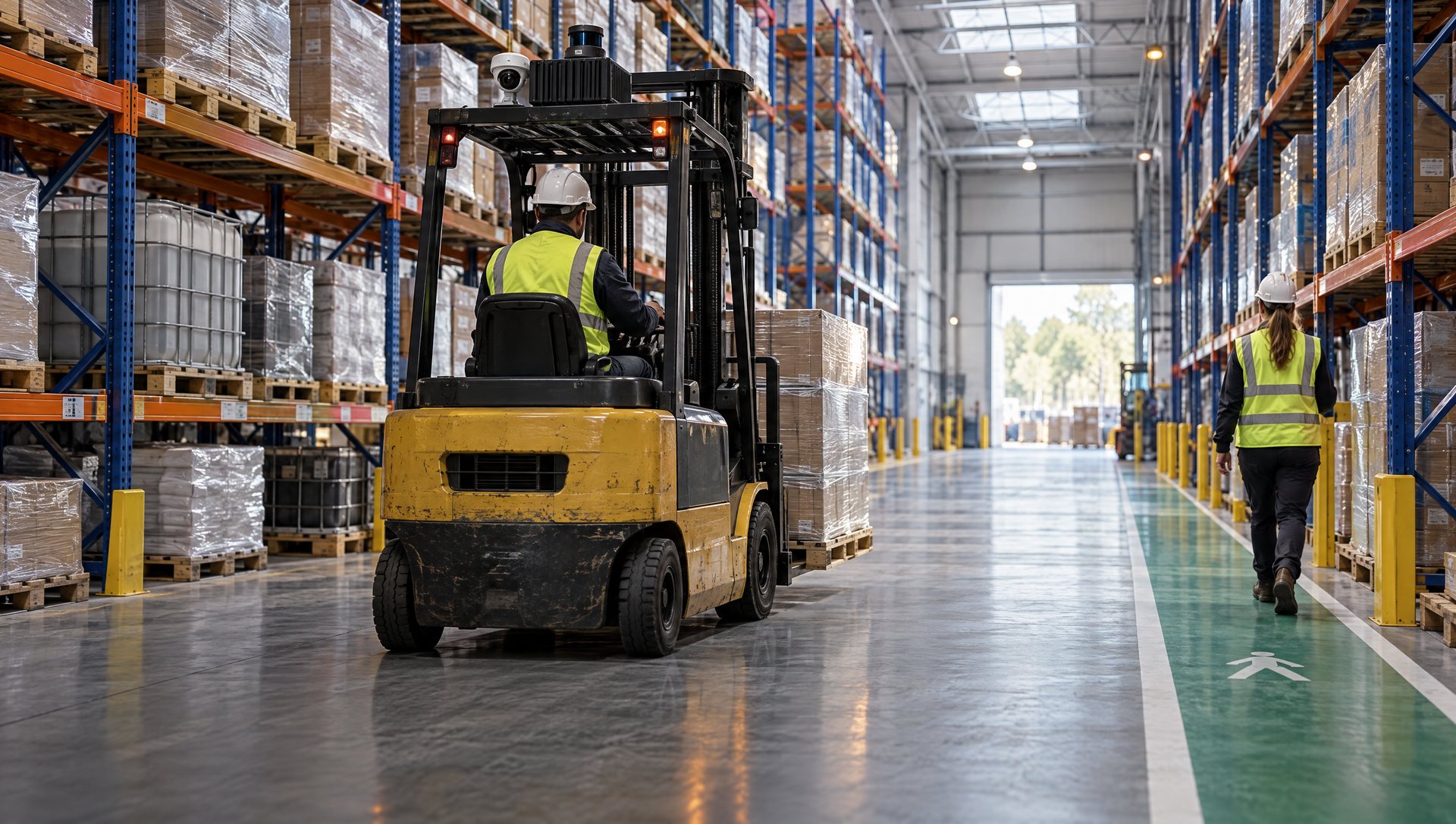
Forklifts & warehouse aisles
Trucks that see people, feel impacts and know what they’re carrying.
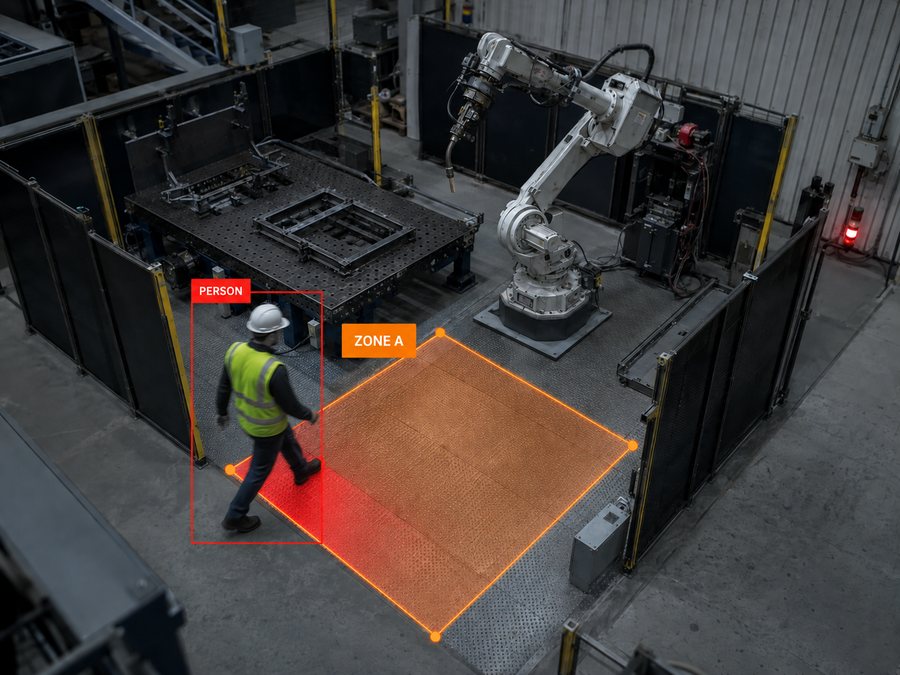
Robotic cells
Someone steps into the zone, the robot is told.
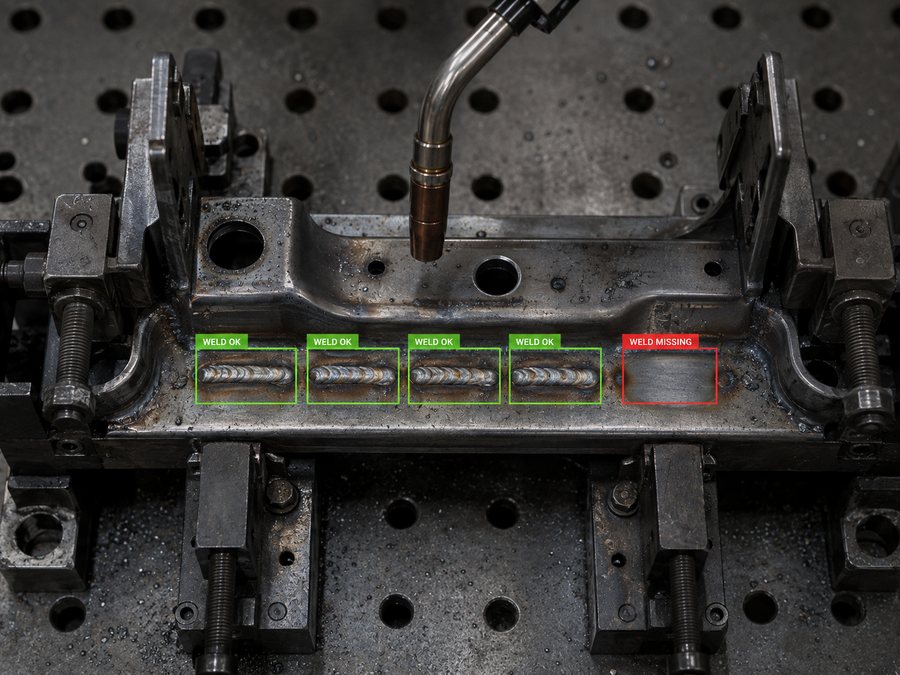
Quality & inspection
A missing weld caught at the station, not at the customer.
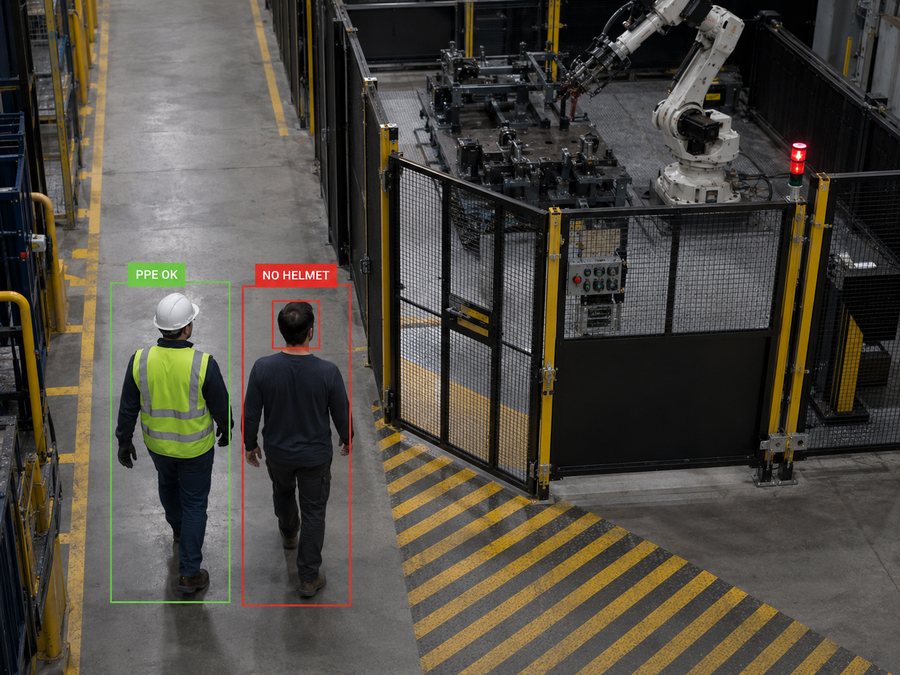
PPE & safe walkways
Helmets, vests and walkways, checked every shift.
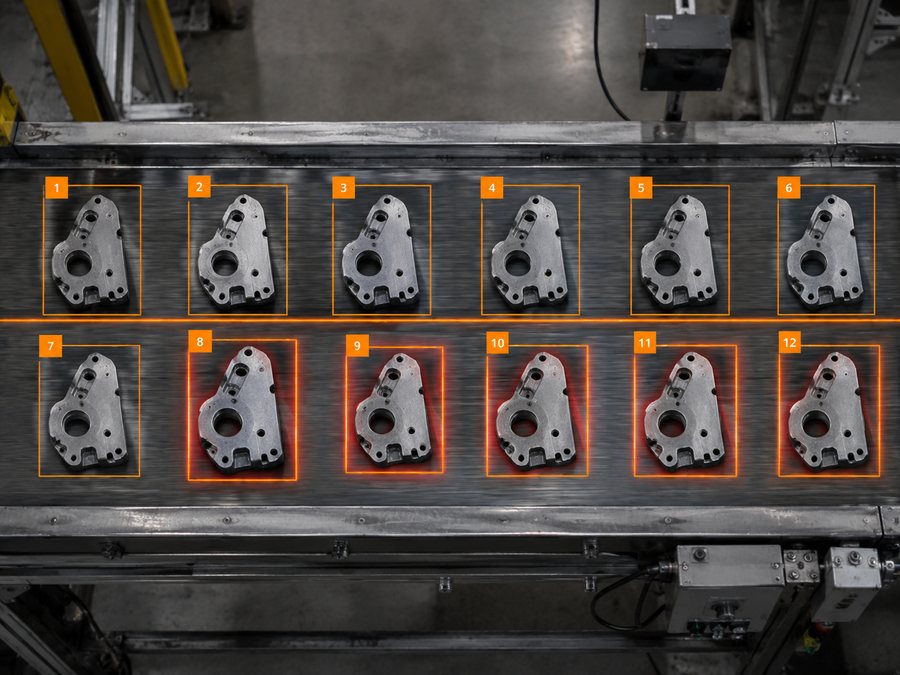
Counting on the line
Every part counted and checked as it passes.
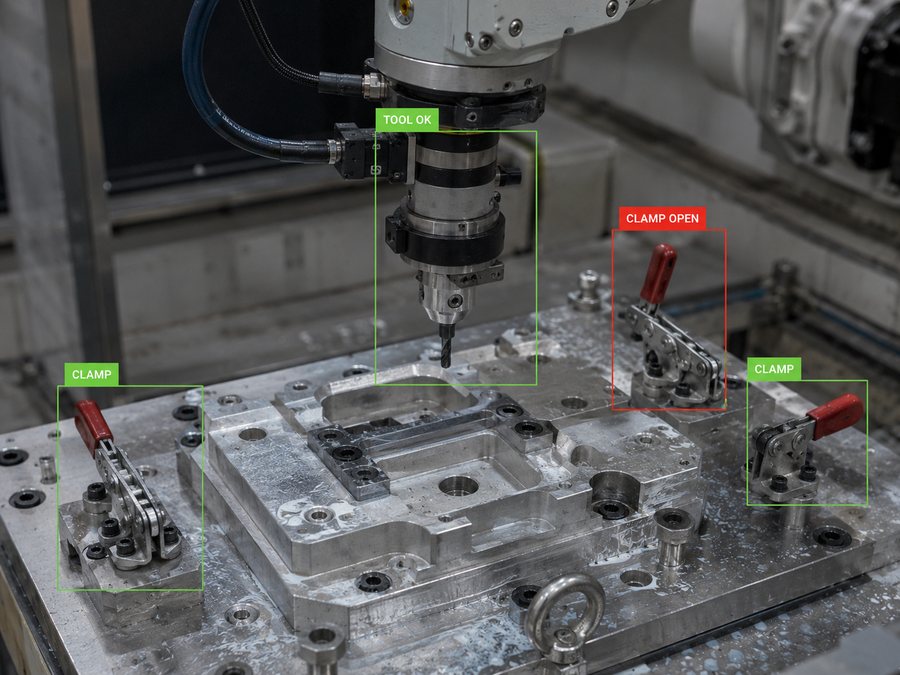
Tooling & fixtures
An open clamp flagged before the cycle starts.
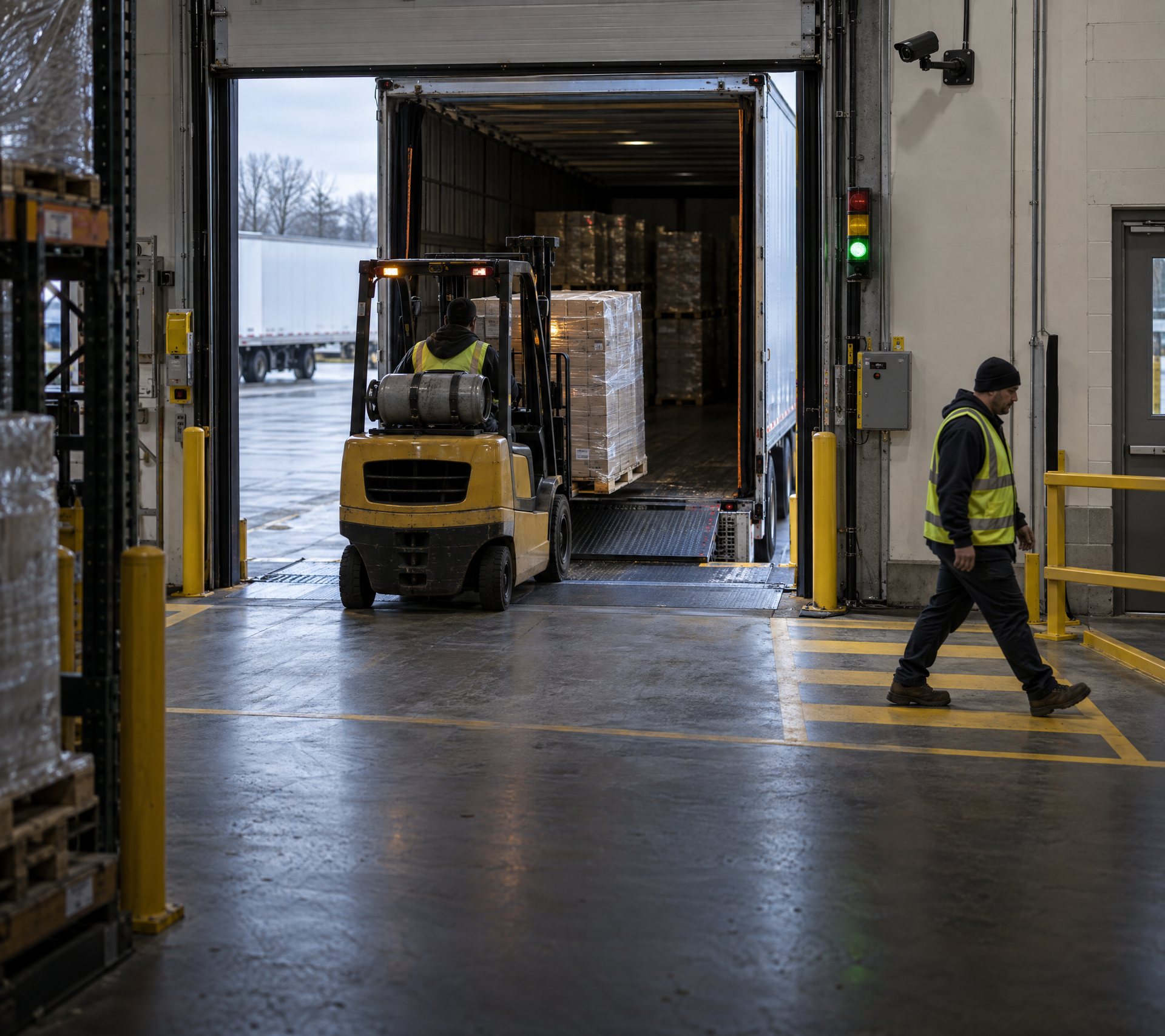
Doors, docks & gates
Every crossing seen, counted and on record.
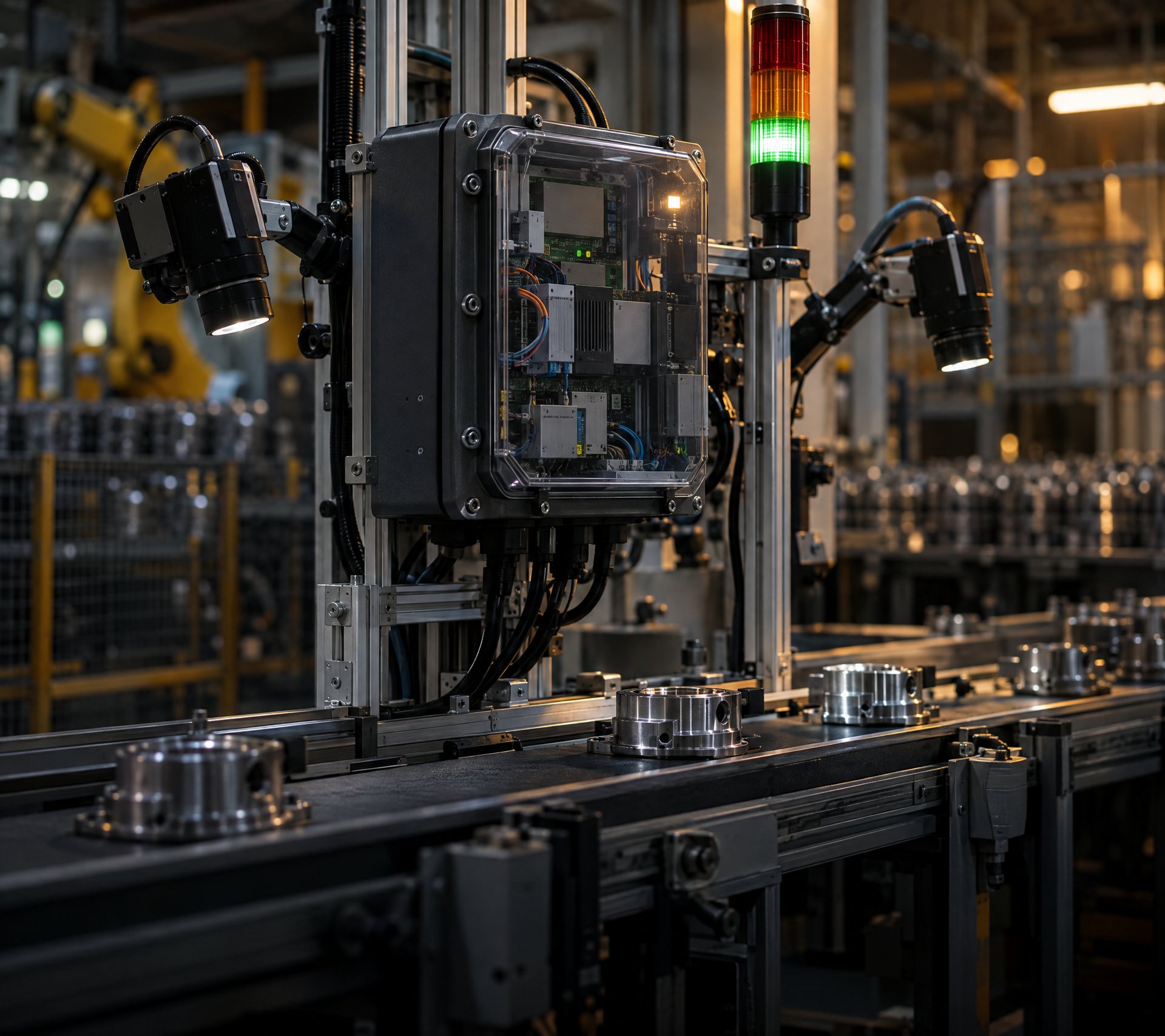
Something only your site has
Tell us about it. We’ll build the box around it.
It meets the floor
as you already built it.
Depending on the configuration, an OmniBox can take in and drive most of what is already out there. Nothing here asks you to replace a working sensor.
- RAMS AI Cameras
- LiDAR
- Impact and motion sensors
- Pallet and load detection
- RFID and operator access control
- Battery monitoring
- Displays and warning devices
- Digital I/O
- Machine and robot signals
- Existing industrial sensors
The final interface and its failure behaviour are reviewed against the specific machine and use case before anything is deployed. Machine signals, voltages, safety architecture and I/O requirements vary too much between applications for that to be assumed.
Part of a
bigger picture.
The eyes. OmniBox is the hands.
The AI Camera spots people, PPE and zones. Paired with OmniBox Edge, it stops the robot, holds the door or sounds the alarm.
Explore the AI CameraThe ones you already use.
Every event from every box, on one screen.
Near-misses, zone entries, failed checks and impacts — ready for the safety review and the management meeting, not just the shift.
Built around
your problem.
Some jobs don’t fit a standard box. Core is how we build one that does — using the same parts and know-how as the rest of the family.
- Tell usThe job, the site, and what has to happen when something goes wrong.
- We designThe right brain, connections, power and enclosure for it.
- We build & testOn our bench first, so it works before it reaches your floor.
- We installOn site, with a handover your team understands.
- We connectThe events worth keeping sync to RAMS Digital, so one box becomes part of the bigger picture.
Frequently asked questions.
If you’re using RAMS AI Cameras to keep a cell, door or zone safe, it’s Edge. If you want AI trained on your own parts or process, it’s AI. For forklifts, it’s Motion. If none of those fit, it’s Core. The chooser above walks you through it, or just ask us.
Tell us what you’d fix first.
A cell, a line, a door or a fleet. We’ll visit, see how the work actually happens, and recommend the right OmniBox — no obligation.